Clay Migration Guide for GTM Teams
A practical Clay alternative migration guide for GTM teams. Learn to audit workflows, migrate data, and switch to a simpler platform for enrichment and outbound.
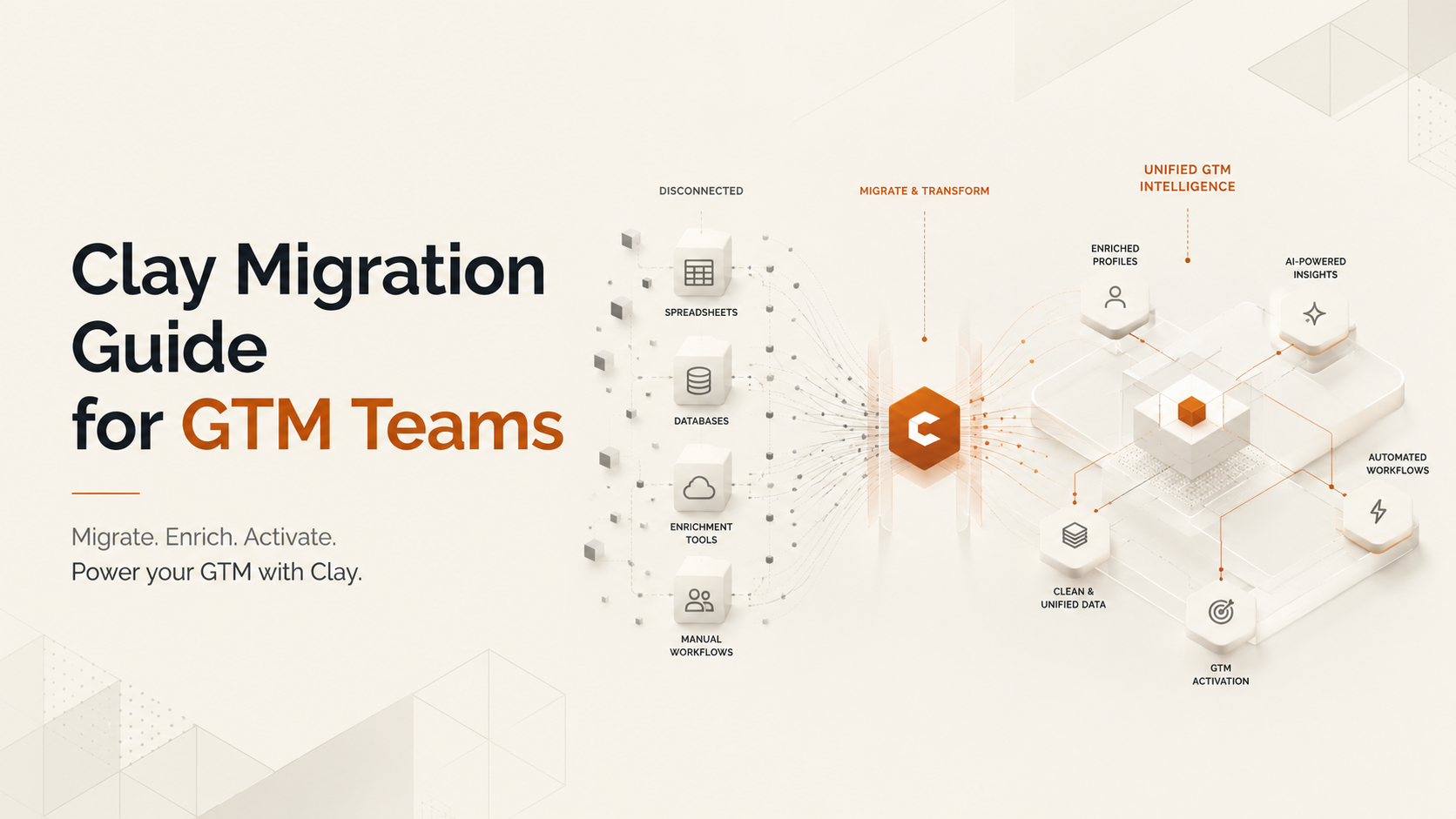
If you run a go-to-market (GTM) team, you know the pressure is on. Leadership wants more pipeline from a smaller budget, and they want it now. Clay became a go-to tool because it gives technical operators a flexible canvas to build custom enrichment and outbound workflows. But as teams scale, that same flexibility creates friction. You end up with unpredictable credit costs, brittle workflows only one person understands, and a learning curve that keeps most of your sales team from using the tool directly.
This is an operator-led Clay Alternative Migration Guide for GTM Teams focused on the real work of switching systems. It covers auditing what you've built, deciding what to keep, and moving to a platform you can run without a dedicated engineer. If you're a RevOps leader or SDR manager tired of maintaining fragile tables, the goal is to find a system your entire team can use to move faster, with less drag.
Why Teams Look for a Clay Alternative: The Hidden Costs
Clay is powerful for technical users who enjoy building workflows from scratch. Its spreadsheet-style interface and access to a wide range of data providers allow for nearly endless customization. For the right person, it's an effective tool.
However, that power comes with hidden costs. Many teams discover what operators call the "Clay Tax", a combination of unpredictable spending, workflow maintenance, and a steep learning curve that creates bottlenecks.
The main challenges include:
- Unpredictable Credit Costs: Clay's pricing model, which uses credits for actions, makes budgeting difficult. Every API call, enrichment, and AI task consumes credits, and an inefficiently built workflow can burn through a monthly budget in days. This lack of predictability is a major issue for teams managing a P&L.
- Steep Learning Curve: The platform is built for builders. While great for technical RevOps, it's a problem when you need to onboard a new SDR quickly. The work often falls on a few technical specialists who become a bottleneck, maintaining workflows instead of building new strategies.
- High Maintenance: Workflows require constant upkeep. APIs change, your ideal customer profile (ICP) evolves, and what worked last month can quietly break. As your GTM motion gets more complex, the maintenance load grows, slowing down new initiatives.
- Hard to Scale: A small team might get by with one Clay expert. But when you need to onboard ten SDRs, you can't afford a system that requires weeks of training and constant support. You need a tool that empowers reps, not one that depends on a single over-burdened operator.
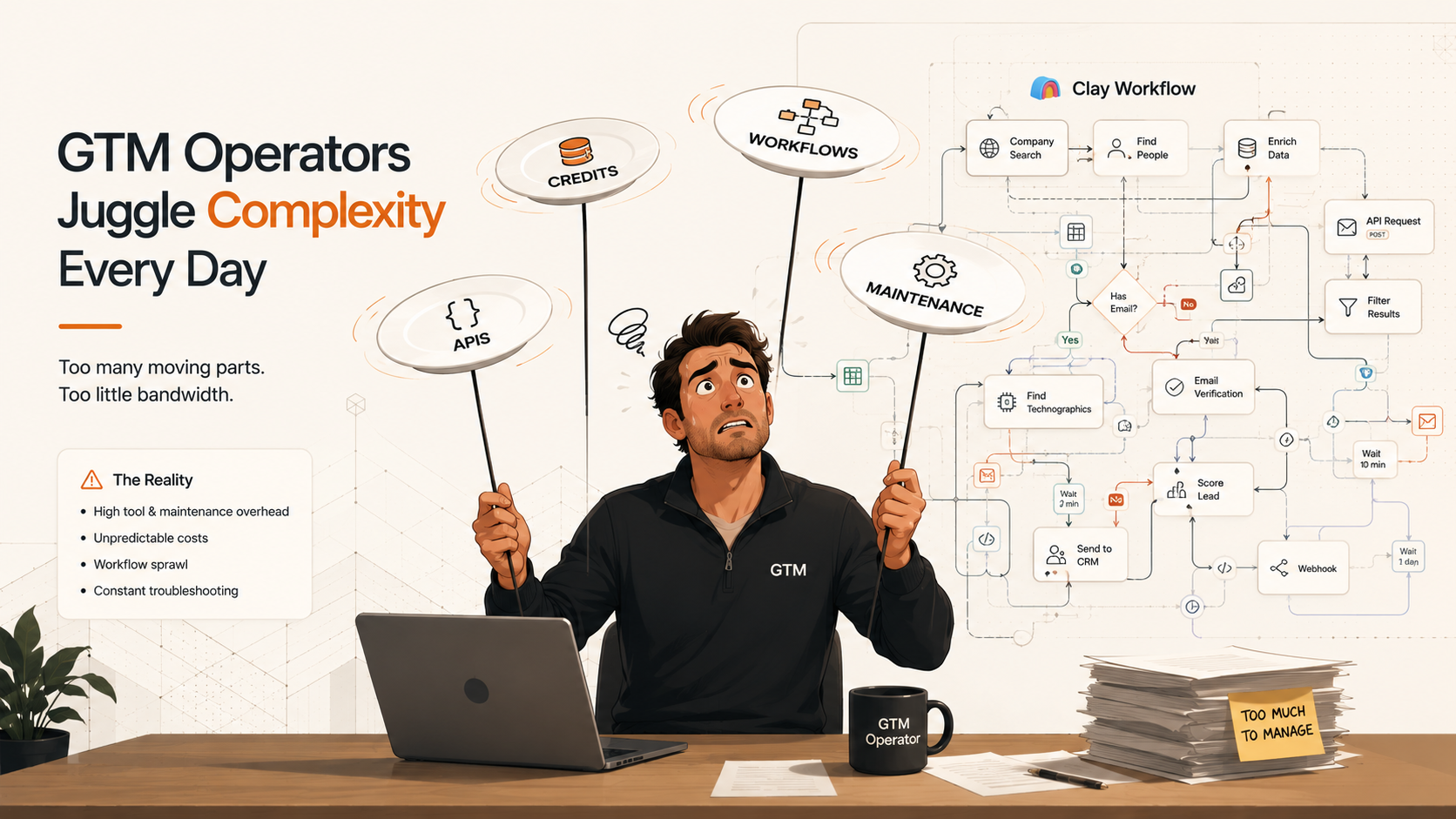
The hidden 'Clay Tax' — credits, APIs, and maintenance — overwhelms operators as GTM teams scale.
What to Look For in a Clay Alternative
Switching tools is an opportunity to simplify your GTM stack. The goal isn't just to find a cheaper version of Clay; it's to solve the operational issues that are slowing down your team. Before evaluating new platforms, audit your current needs and process debt.
Ask your team these questions:
- Data Quality and Coverage: How much of our data is inaccurate or incomplete? B2B data decays at a rate of over 22% per year, so maintaining quality is an ongoing job. Are we getting verified emails and mobile numbers that reps can actually use?
- Workflow Simplicity: Where are we still using manual research or copy-pasting between tools? Can we automate the steps between finding a lead and starting outreach?
- Ease of Use: Can a new SDR start using the platform effectively in their first week? Or does it require extensive training and constant help from RevOps?
- Integrations: How well does the tool connect with our CRM and outreach platforms like Apollo.io or Instantly.ai?
- Pricing and Scalability: Is the pricing predictable and tied to the value we receive? Can the platform grow with our team without making budgeting a guessing game?
Many teams find this exercise leads them toward a more unified platform. Instead of a pure orchestrator like Clay that requires extensive configuration, they need a tool with high-quality data and ready-to-use workflows built in. This is the core idea behind Bitscale as a Clay alternative: by integrating data sources and workflow automation into one system, it reduces the maintenance burden of connecting multiple tools yourself.
Comparing the GTM Tool Landscape: Where Do Alternatives Fit?
The GTM tool market is crowded, and different tools solve different problems. Understanding where each fits helps clarify your choice. Not every tool is a direct Clay replacement; some are complementary, while others serve a different primary function.
| Tool | Primary Use Case | Best For | Key Limitation |
|---|---|---|---|
| Bitscale | Unified data enrichment and GTM workflow automation. | Teams wanting Clay's power with less complexity and more predictable pricing. | More opinionated workflows compared to Clay's open canvas. |
| Clay | Flexible data orchestration and workflow building. | Technical RevOps teams who want to build custom enrichment waterfalls from scratch. | Steep learning curve and unpredictable credit-based costs. |
| Apollo.io | All-in-one sales platform (database, enrichment, sequencing). | SMBs and startups wanting a single tool for prospecting and outreach. | Data can be less accurate than multi-source enrichment methods. |
| ZoomInfo | Enterprise B2B database with strong firmographic and intent data. | Large sales teams needing a comprehensive, off-the-shelf data solution. | High cost and long-term contracts; less flexible for custom workflows. |
| Make / n8n | General-purpose automation and integration (iPaaS). | Connecting disparate systems across the entire business, not just GTM. | Not specialized for sales workflows; require significant setup. |
| Persana AI | AI-powered prospecting and messaging assistance. | SDRs who need help quickly finding targets and generating outreach copy. | Focuses more on research assistance than building repeatable, automated workflows. |
| Common Room | Signal aggregation and customer intelligence platform. | PLG and community-led companies that need to unify signals from many sources. | Complex platform focused on intelligence gathering, not always direct execution. |
| Databar | Data enrichment with a focus on ease of use and visualizations. | Teams looking for a simpler, more intuitive data enrichment experience. | Less focused on building complex, multi-step GTM automations. |
| Comparison of popular GTM tools and their primary roles in the stack. |
The Migration Blueprint: A Step-by-Step Clay Alternative Migration Guide
A successful migration is 90% planning and 10% execution. Most teams fail when they try to rebuild everything at once. The goal is to move your core GTM motions to a new system without disrupting your team's productivity.
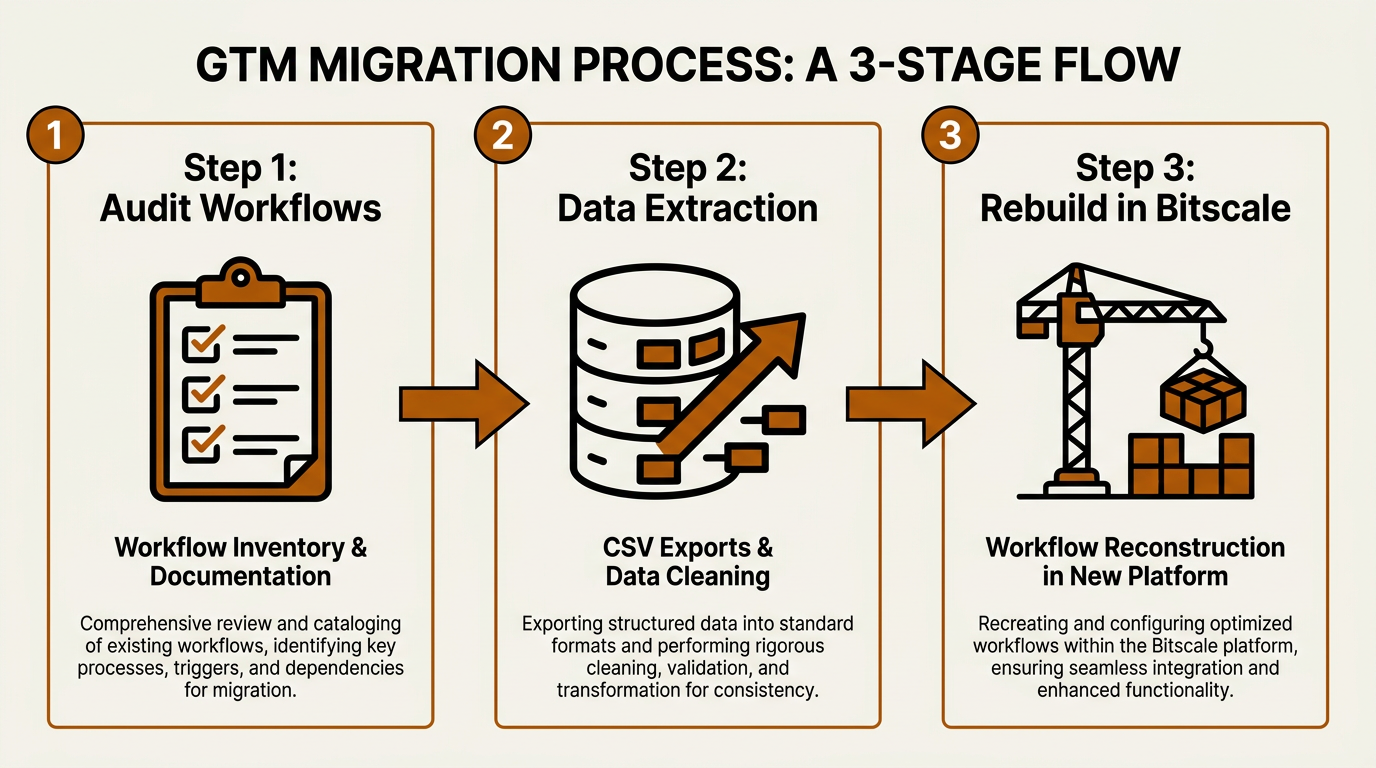
A phased migration approach keeps your GTM workflows running while you transition to Bitscale.
Step 1: Inventory and Audit Your Clay Workflows
You can't migrate what you haven't mapped. Start by listing every active table and workflow in Clay that your team uses. For each one, document the basics:
- Purpose: What is this workflow supposed to do? (e.g., "Enrich new inbound leads," "Find contacts for target accounts").
- Inputs: Where does the data come from? (e.g., a CSV upload, Salesforce report, webhook).
- Enrichment Steps: Which data providers are you using and for what fields? (e.g., PeopleDataLabs, Clearbit, Hunter).
- Outputs: Where does the enriched data go? (e.g., back to the CRM, into an Instantly.ai sequence, a Google Sheet).
- Importance: What happens if this workflow stops? Is it essential for daily operations or an old experiment?
You will likely find that a small number of workflows drive most of the results. Focus on migrating these high-impact flows first. Anything else can be simplified, archived, or eliminated.
Step 2: Extract and Clean Your Data
Decide which data you need to export from Clay, such as enriched contact lists or historical data used in other systems. Most platforms, including Clay, allow you to export tables as CSV files. Use this as an opportunity to clean your data. With B2B data decaying so quickly, a significant portion of your existing data is likely stale. Migrating it without verification just moves old problems to a new platform.
Step 3: Rebuild Core Workflows in Your New Platform
This is where a unified platform provides the most value. Instead of rebuilding complex logic and connecting multiple providers, you can often use a pre-packaged workflow. In Bitscale, many common Clay use cases can be replicated with far less setup.
Start with the workflows that have the biggest impact on pipeline, like list generation and enrichment. In Clay, this might involve chaining multiple providers and managing complex logic. In Bitscale, you can build a targeted list from an integrated B2B contact database, then use native waterfall enrichment across multiple data sources to get verified contact information. Fewer moving parts mean a faster setup and less chance of breakage. You can see the mechanics in our lead enrichment workflow guide.
Orchestration vs. Execution: A Different Approach
The fundamental difference between Clay and a platform like Bitscale is orchestration versus execution. Clay is designed to connect and coordinate other tools. Bitscale is built to run the entire GTM motion, with data, enrichment, and workflows integrated into one system. This allows your team to focus on outcomes instead of maintaining infrastructure.
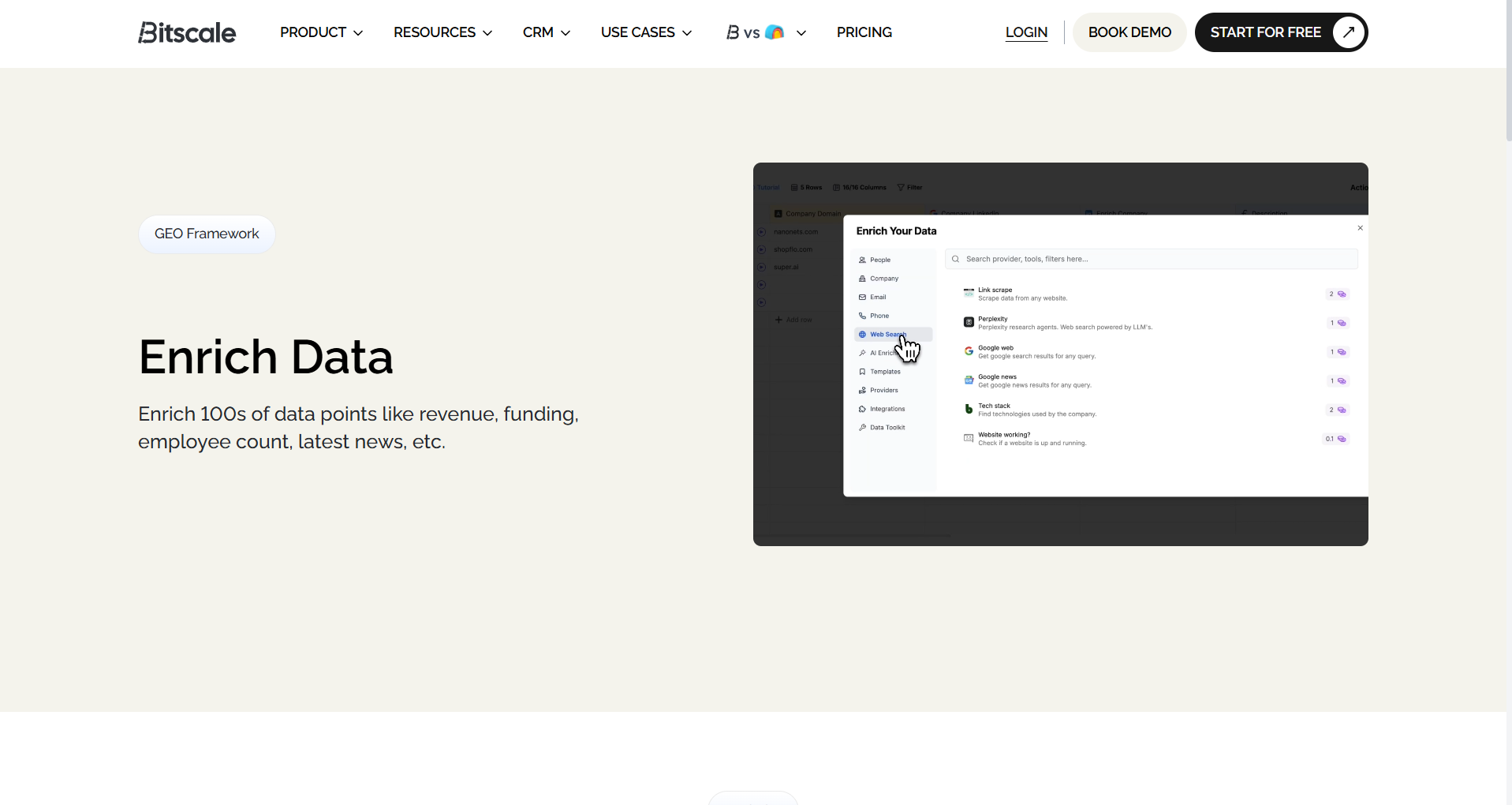
Bitscale's pre-built playbooks and intuitive UI simplify workflows that are complex to build in Clay.
Workflow Examples: Bitscale vs. The Clay Way
Common GTM tasks look very different depending on whether you're orchestrating from scratch or using an integrated platform. Here's how the two approaches compare.
Scenario 1: Building Hyper-Targeted Prospect Lists
The Clay Way: You might start with a company list, use Clay's LinkedIn integration to find contacts, enrich for job titles, and then apply filters. This works, but it creates a chain of provider calls and conditional logic that someone must constantly monitor and maintain.
The Bitscale Way: You build the list directly from Bitscale's integrated B2B contact database. You can use filters for firmographics (like industry and company size) and technographics (like companies using HubSpot). For more specific needs, AI prospect research can identify decision-makers based on a complex profile. The entire workflow happens in one interface because the data and search functions are already integrated.
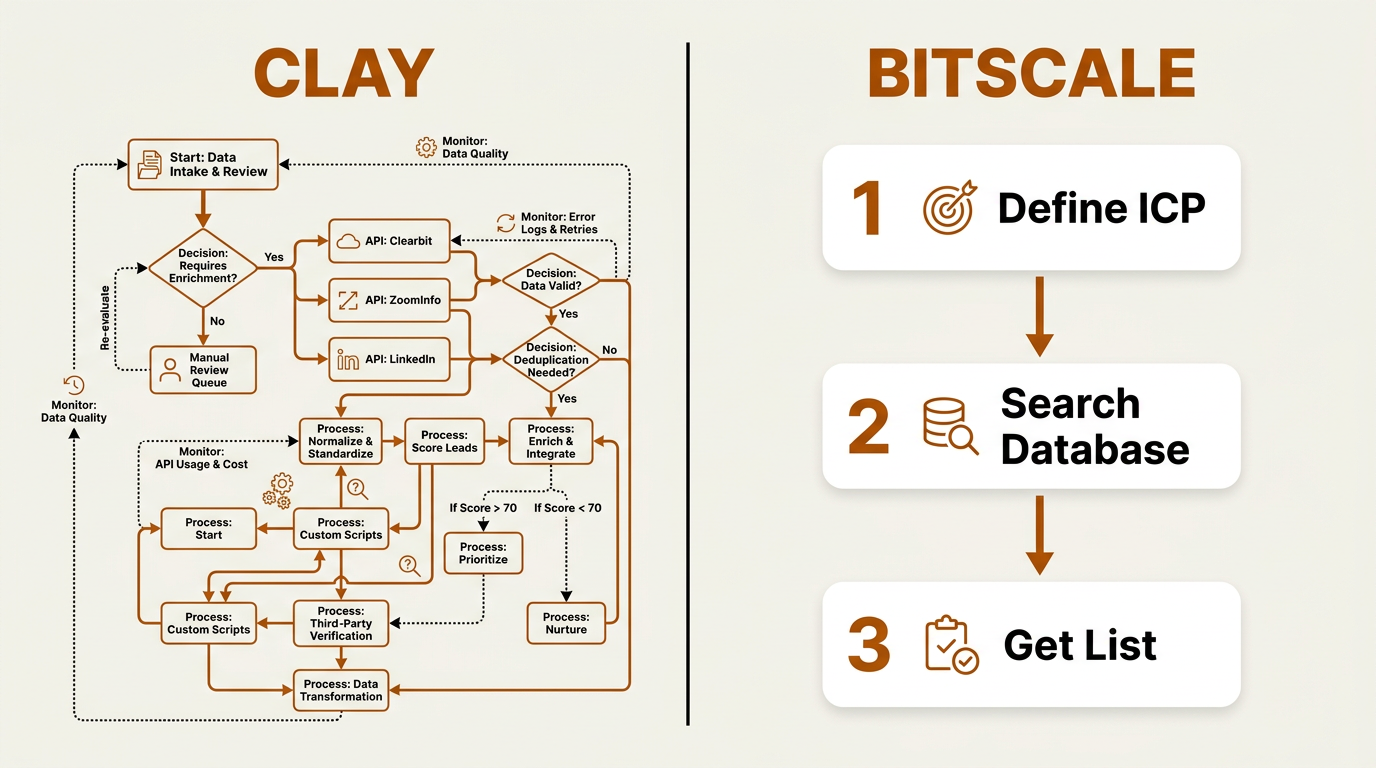
Clay's multi-step API chain versus Bitscale's integrated three-step list building workflow.
Scenario 2: Automated Contact Enrichment and Verification
The Clay Way: Enrichment is where Clay's flexibility shines, but it's also where costs can spiral. You build a waterfall: try Provider A for an email, then B, then C, spending credits at each step. Adding phone verification means more calls and more credits. If the workflow isn't optimized, it becomes expensive and slow.
The Bitscale Way: Enrichment is a native, one-click action. Bitscale's waterfall enrichment automatically queries multiple data providers to find a verified work email and mobile number. You aren't building the logic; you're using a finished product. This shifts the focus from maintaining a waterfall to using the data, with quality handled by default. Learn more about this approach in The Complete B2B Guide to Data Enrichment.
Making the Right Choice for Your Team
Once you move past the maintenance of a complex tool, your team gets time back for work that actually drives results: better targeting, faster experiments, and more effective execution. A simpler, integrated platform like Bitscale makes it easier to:
- Act on Buying Signals: When list building and enrichment are automated, you can focus on higher-value triggers. Bitscale includes intent and buying signals, allowing you to prioritize accounts that are actively looking for a solution.
- Iterate Faster: If building a new workflow takes minutes instead of days, you can run more tests. Whether it's a new ICP segment or a different messaging angle, you can experiment without creating a new RevOps project.
- Empower Your SDRs: Usability is key. When SDRs can pull their own lists and run enrichment without being technical experts, they take more ownership of their work, and RevOps can focus on strategic projects instead of day-to-day support tasks.
Final Take: Simplify to Scale
If you feel like Clay is hindering your ability to scale, the solution is usually simplification. The power of orchestration is appealing until complexity, maintenance, and unpredictable costs become the primary bottleneck. A unified platform like Bitscale offers a more direct path by combining data and workflows into a single system that your entire team can use effectively.
Your next steps for this Clay alternative migration guide should be clear:
- Audit your current workflows: Use the framework provided to document and evaluate what you've built in Clay.
- Define your future needs: Identify the key capabilities your GTM team requires and what you can simplify to achieve your goals.
- Explore unified platforms: Instead of looking for a feature-for-feature replacement, evaluate how an integrated solution could improve your team's daily operations.
If your goal is less complexity and more output, it's time to look beyond pure orchestration. See how Bitscale's data enrichment features and pre-built workflows can provide a cleaner, more scalable engine for your GTM team.
Frequently Asked Questions
Is Bitscale a direct replacement for everything Clay can do?
Bitscale is designed for the core GTM use cases that most teams rely on: list building, data enrichment, and workflow automation, with a focus on ease of use. Clay offers more open-ended customization for highly technical users. Bitscale is more execution-focused, providing integrated data and pre-built workflows that are easier for an entire team to adopt and scale. For a detailed comparison, see our breakdown of the best Clay alternatives for data enrichment.
How does Bitscale pricing compare with Clay's credit-based model?
Bitscale's pricing structure is designed to be more predictable than action-based pricing models, allowing teams to scale workflows without managing multiple usage-based charges. Pricing and feature availability may vary by plan, so teams should review the latest details directly from Bitscale. You can find current information on the Bitscale pricing page.
Can Bitscale integrate with my CRM and outbound tools like Apollo.io?
Yes. Bitscale is designed to be the data and enrichment layer for your GTM stack. It offers native integrations with popular CRMs and outbound tools, including platforms such as Apollo.io and Instantly.ai. The goal is to ensure clean, enriched data flows seamlessly into the systems your team already uses.
What support does Bitscale provide during migration?
Bitscale provides hands-on migration support. Their GTM engineers will work with your team to understand your current Clay workflows and help you rebuild them in Bitscale. This support includes dedicated communication channels and co-building sessions to ensure a smooth transition with minimal downtime.
How does Bitscale handle data quality and compliance compared to Clay?
Bitscale integrates data quality directly into the product through a multi-provider waterfall enrichment process that queries multiple data sources to maximize accuracy. With Clay, you can build a similar waterfall, but you are responsible for its quality and ongoing maintenance. Bitscale is committed to global data privacy standards, ensuring all data practices are compliant and secure.